Is migrating from .NET Framework to .NET 10 worth it, and with which method?
Web Forms, server-side WCF services and Windows graphics components must be rewritten. You migrate one function at a time, without stopping the business, aiming at .NET 10: support for .NET 8 ended on 10 November 2026.
The first step is two weeks of inventory, before you choose a vendor.


Picture a manufacturing company with an order system written in 2012. It runs every day. It issues the invoices and drives the warehouse. The person who wrote it changed jobs years ago. Nobody loves it and nobody dares touch it.
If your software runs on .NET Framework 4.8, the right question is not "should we migrate". It is "what does every month of waiting cost us".
The enemy is not old code. It is the quote with no analysis behind it, the one that turns a two-month project into a one-year project.
In twenty-five years of building software for businesses I have seen moves finished in a few weeks and others that never finished. The difference was never the technology. It was the method. And you can read the method, in writing, before you sign.
Here you get three things. The list of parts that do not exist on the other side and must be rewritten. The numbers a serious quote has to show you. And the way to move without stopping production for a single day.
.NET Framework migration: every month of waiting costs money, even if nobody books it

No date forces you to move: version 4.8 stays supported as long as the Windows it runs on is supported.
But everything around it has stopped waiting for you. Libraries, tools and vendors publish only for the new platform, and every quarter the list of things you cannot update gets longer.
There is one signal to watch. You need to update a library for a customer request and find that the last compatible version is two years old with an open security hole. From that day, migration is no longer a project. It is an emergency.
Then there is a bill you pay without seeing it. The old software runs only on Windows, and on Azure the Windows licence is built into the hourly price of the machine, unless you already own licences.
An order system used eight hours a day, five days a week, works 40 hours out of 168. Keeping it always on means paying for nearly three hours out of four for nothing.
On the new platform you can switch it off outside office hours, and while the service is off you do not pay for usage. The full reasoning on costs is in the article on how to cut Azure costs without a cloud team.
Support for the two versions released in 2023 and 2024 ended on 10 November 2026. A migration started today must land on the version released in November 2025, supported until November 2028.
Check that your quote says this. It happens that a vendor reuses the plan of a 2024 project and lands you on a version that has already expired.
The cost of migration shows up in the quote. The cost of waiting shows up nowhere, which is why it keeps growing.
What is the move really worth? It depends on a list, and first you need to see what changes.
It is not a version upgrade: it is a change of product
The old software and the modern platform share the language and much of the functionality, but they are two different products. Going from one to the other is not like going from 4.6 to 4.8. It is a house move, with different equipment.
Today the engine your software runs on is part of Windows. A machine has one version, shared by every application.
On a server with ten applications, updating it means stopping all ten and testing all ten. That is why nobody ever updates it, and why your software has been frozen since 2017.
On the new platform the engine travels with the application. You can have two programs on the same machine with two different versions and update one without touching the other. The fear of updating, which today keeps everything frozen, simply goes away.
Settings management changes too. Passwords and access keys leave the code and can be changed without rebuilding the program.
It is one of the main reasons to migrate, and you should demand it in the project: leaving everything in the old model means paying for the move and keeping the defects of the old house.
A release stops being a weekend event with everyone locked out and becomes a Tuesday morning routine. It is the advantage you feel first and the one no quote puts on the balance sheet.
The good news is that part of this work can be done today, without changing engine and without risk. We cover it in the six-phase plan, where it is the first real step.
First you need the inventory of what does not carry over. That is what sets the price.
The inventory that sets the price: what does not carry over
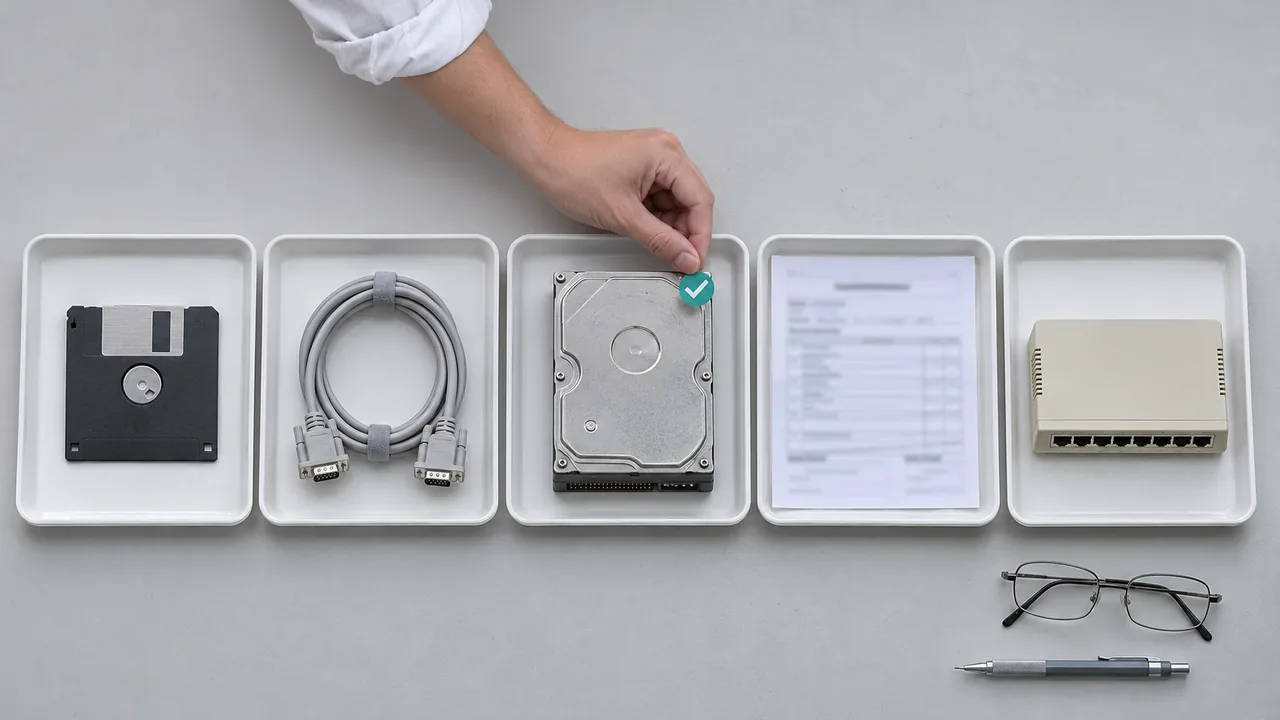
Five items explain almost all the difference between a quote of a few weeks and a quote of a year.
They are the parts of the software that do not exist on the new platform and must be rewritten, not moved. A serious quote lists them one by one and tells you which ones are in your code.
- Web Forms pages. There is no automatic conversion. The interface is rebuilt from scratch, and how to do it without stopping the business is covered in how to rebuild the interface of a business application.
- Server-side WCF services. These are the services other programs call. A community project covers part of the cases, but every configuration must be checked before promising a date.
- The oldest mechanisms by which modules call and isolate each other. They have been removed. They must be replaced, and the work must be counted.
- PDFs, labels and charts built with the Windows graphics libraries. They no longer work outside Windows. They hide in a print module nobody has looked at for years.
- Data saved in old formats. Sessions, caches and files written by a system that has since been removed. You need a new format and a way to read the data already written.
Data access and desktop applications almost always carry over. The complications come from third-party components with per-machine licences.
There is a practical indicator. Count how many times the business logic reaches straight into the web request from outside the controllers. The more there are, the more the migration touches layers you thought you would not touch.
A quote that only talks about "upgrading" and gives a fixed price was not preceded by an analysis.
Reading the list is easy. Knowing which items weigh on your code means opening it, and it is done better by someone who has seen similar software.
What it costs and how long it takes: three profiles and four items quotes forget
Cost does not depend on lines of code but on how many of the five parts that do not carry over are in the software. Two applications of a hundred thousand lines can differ by a factor of ten. There are three orders of magnitude, and they help you tell whether a quote lives in the real world.
| Profile | Examples | Indicative duration |
|---|---|---|
| Simple | Service with no interface, library, nightly process | A few days to three weeks |
| Medium | Web application with its data, team of two | One to three months |
| Heavy | Web Forms, WCF services, desktop with many external components | Six months to two years |
The heavy profile is not a migration: it is the rewrite of one or more layers, to be run in stages. For this case there is dedicated work: modernizing software nobody dares touch.
The declared cost is almost always the cost of converting the code. The real one contains four more items.
The first is testing. With no automated checks, testing is manual and has to be done twice: first to learn what the system does today, then to verify it still does the same. On an order system with forty screens that is weeks.
The second is the release path. The new application is published in a different way, and everything has to be rebuilt. These are days that are not in the quote because they are not "development".
The third is double maintenance. While you migrate, customers keep asking for changes to the old software. Every change has to be carried over to the new one.
The fourth is training. A team that has written the old way for ten years does not produce modern code on the first try. The first two months are slower, or you need someone who has already made the journey.
On the other side of the scale are the savings: infrastructure, time lost on a frozen platform, holes you cannot close. The method to count them is in what legacy software really costs you.
The method that keeps the business running: .NET Framework migration one function at a time, not by big bang

You migrate one function at a time while the old system keeps working. A "doorman", a component placed in front of the two systems, decides, for each request, whether to send it to the old one or the new one. The address does not change and the user normally notices nothing.
Until a few years ago this method was right on paper and impossible in practice: moving from one system to the other, the user lost the session and had to log in again.
Today Microsoft provides adapters that let the two systems share session and identity. That is the change that made this kind of project manageable.
You start with the doorman sending everything to the old system. On day one behaviour is identical to before, and that is the point. Then you move one function at a time, from read-only pages up to payments and invoicing, which go last.
Some will object that rewriting from scratch would be cleaner. They are right on one point: sometimes the software's model is wrong, not just old.
But if you cannot list at least three behaviours of the current system you want to change, it is not a rewrite. It is a migration in disguise, and it costs double.
Doing everything in one weekend is the right choice only for a small service. On a medium application it concentrates all the risk in one moment, with no way back.
The gradual method costs less even though it looks longer: it removes double maintenance, moves testing inside the project and puts value into production after the first month.
There is also a reason that weighs more than the others inside a company. A project that releases every two weeks keeps management's trust.
One that asks for six months and releases once loses it at the first slip, and migrations always slip at least once.
Imagine thirty functions to move. You move five every two weeks and each batch goes straight into production: the first after two weeks, the last after twelve. With a single final delivery, instead, nothing reaches production for three months.
One step for Monday: ask your vendor in which order they would move the functions and which one they would move last. If they cannot answer at once, there is no plan.
The six-phase plan, in the order that lowers risk
There are six phases, in this order, because each one lowers the risk of the next. Skipping one is always paid for later. Durations are indicative and apply to a medium application.
First: the inventory. One or two weeks to find out what is there, with a table saying how many hours each item is worth.
Second: you modernize the project format while staying on the old engine. One to three weeks, risk close to zero, and the software runs exactly as before.
Third: you separate the business logic into libraries that work on both platforms. Two to six weeks. From here the project stops being a bet, because every migrated piece reuses code that is already tested.
Fourth: you build the scaffolding, put the doorman in front and take a single low-risk function into production. One or two weeks. The goal is to test the whole path, from the doorman to production, not the function itself.
Fifth: migration in waves, which is the bulk of the project. With two people on a medium application, the sustainable pace is one wave every two weeks. Whoever promises double has not done phases two and three, or is counting compilation and not testing.
Sixth: shutdown and cleanup, two to four weeks. You remove the doorman, the component that routed requests between old and new, throw away the adapters that let the two systems talk, and switch off the old system after an observation period. This phase has to be in the plan from the start.
A system left half-migrated forever has the maintenance cost of two systems and the benefits of neither.
A six-phase plan reads in a minute. Understanding which phase your software is really in, and how much each one weighs, requires opening the code.
No automated checks? You can still migrate, with three safety nets

You can migrate, with a targeted safety net rather than a complete one. Writing checks for the whole program before starting costs as much as the migration, and nobody approves it. Three are enough, chosen where an error would stop the business.
The first: checks on the paths that matter. You record the output of the current system on a real case and use it as the expected value, wrong behaviours included.
You cover price calculation, the tax document, period closing and the export to the accounting system. On a medium system that is ten to thirty scenarios: days of work, not months.
The second: side-by-side comparison on real data. The new version runs next to the old one on the same data, producing no effects, and you compare outputs row by row. It is the technique that gives the most peace of mind of all.
The differences that surface are almost always of two kinds. Rounding and date and number formats, which change from one version to the next. And orderings that were stable by accident in the old system.
The third: human testing, but not at random. You rank functions by real usage, taken from the system's logs, and test from the top down until time runs out.
Testing by frequency instead of by menu entry completely changes the return on those hours.
The three nets cost days. The error they cover, found in production, costs your credibility with the customer.
One question remains: are there cases where migrating makes no sense at all?
When not to migrate, and the mistakes that cost the most
Migrating does not pay in four cases. The software will be replaced within two years. It is frozen, with no internet exposure and no change requests for eighteen months. Nobody could maintain it after the migration. Or the real problem is elsewhere: slow searches in the data, no test environment, releases done by hand at night.
None of these is fixed by changing engine, and all of them cost less to fix. If slow searches take two weeks to fix against the three months of a medium migration, the bill is one sixth.
In the other cases, there are five mistakes to avoid, in order of cost.
The first mistake is migrating and restructuring together. The temptation is strong: while we are at it, let us change the structure and the data too. Then, when something breaks, you cannot tell whether the move or the restructuring is to blame.
First you migrate at parity of behaviour, then you improve: two projects, with two rounds of testing and two releases.
The second is trusting the automatic tool. Conversion tools, including AI-based ones, do the mechanical part well: the majority of the lines, the minority of the hours. They do badly the part that requires knowing what the software does. The result compiles and nobody understands it.
The third is not writing down when the project is finished. Without a verifiable criterion, a migration project never ends: it turns into maintenance. All functions moved, the doorman removed, the old system switched off.
The fourth is not measuring first. Without today's numbers (response times, monthly cost, length of a release) you cannot prove the improvement. And the budget for the next project will be harder to get.
The fifth is handing everything to a vendor turnkey. The people who will maintain the system must take part in building it. The model that works is mixed: whoever has made the journey leads, the internal team executes and learns.
An exercise before you look for a vendor: write on a sheet the problem pushing you to migrate. If the engine does not appear in it, you are about to spend on the wrong thing.
The first step: two weeks of inventory, before you choose a vendor
The first step is a two-week inventory, before you choose a vendor. It lists what is inside the software and what each part is worth. The 2012 order system is not the problem: the problem is not knowing.
That turns a gut decision into a decision made on a table, and changes the quality of the quotes you receive.
On Monday you can start with four things. The list of parts that do not carry over. The count of places where the code reaches into the web request. The check of printing and reporting components. The current monthly cost of the infrastructure.
If you want someone who has already moved applications with this profile to the other side to do this work, write to me with what runs at your company today and I will tell you which of the three profiles it falls into, and when the right answer is not to migrate.
Does your company need custom software or AI in the team?
We design and build custom software, modernize legacy systems and train your developers to work with AI. Tell us the problem: you get a concrete answer within one working day.
Frequently asked questions
No date forces you: .NET Framework 4.8 stays supported as long as the Windows version it runs on is supported. The ecosystem around it forces you. Libraries, tools and vendors publish only for the new platform, and the day you cannot close a security hole, migration becomes an emergency. The calculation to make is what every month of waiting costs.
On .NET 10, the long-term-support version released in November 2025 and supported until November 2028. Support for .NET 8 and .NET 9 ended on 10 November 2026, so targeting them means repeating the upgrade right after. Before signing, check that the quote names .NET 10 as the destination and not a version that has already expired.
Web Forms pages have no automatic conversion and the interface must be rebuilt. Server-side WCF services carry over only in part, through a community project to check case by case. Also to be replaced: the old module isolation mechanisms, charts and PDFs built with the Windows graphics libraries, and data saved in formats that have been removed.
It depends on the list of parts that do not carry over, not on lines of code. A service with no interface takes a few days to three weeks. A medium web application, with two people, one to three months. Web Forms, WCF services or desktop with many external components take six months to two years. Add testing, release path, double maintenance and training.
Yes, by migrating one function at a time. A component placed in front of the two systems, the "doorman", decides for each request whether to send it to the old or the new one, and Microsoft adapters let both share session and user identity. On day one everything goes to the old system, then you move one function at a time, with small, reversible releases. The address does not change.
With three targeted safety nets, not full coverage. First: checks on the paths that would stop the business, such as price, tax document and period closing. Second: side-by-side comparison of the old and new versions on the same real data. Third: human testing ranked by real usage frequency, from the most used functions to the least used.
Leave your details in the form below